
The client portal
Everything I do for you, on one login.
Calls, leads, rankings, reviews, the work log, your files. Every client gets this login in the first week, and it’s the same login I use to show you whether it’s working.
Sample dataEvery screenshot on this page is the real portal, logged in as a sample business, Serenity Massage Studio. The names, calls and numbers are made up.
The tour, in a minute
Watch it before you scroll.
One minute. Narrated, with captions. Sample company, real portal.
The dashboard
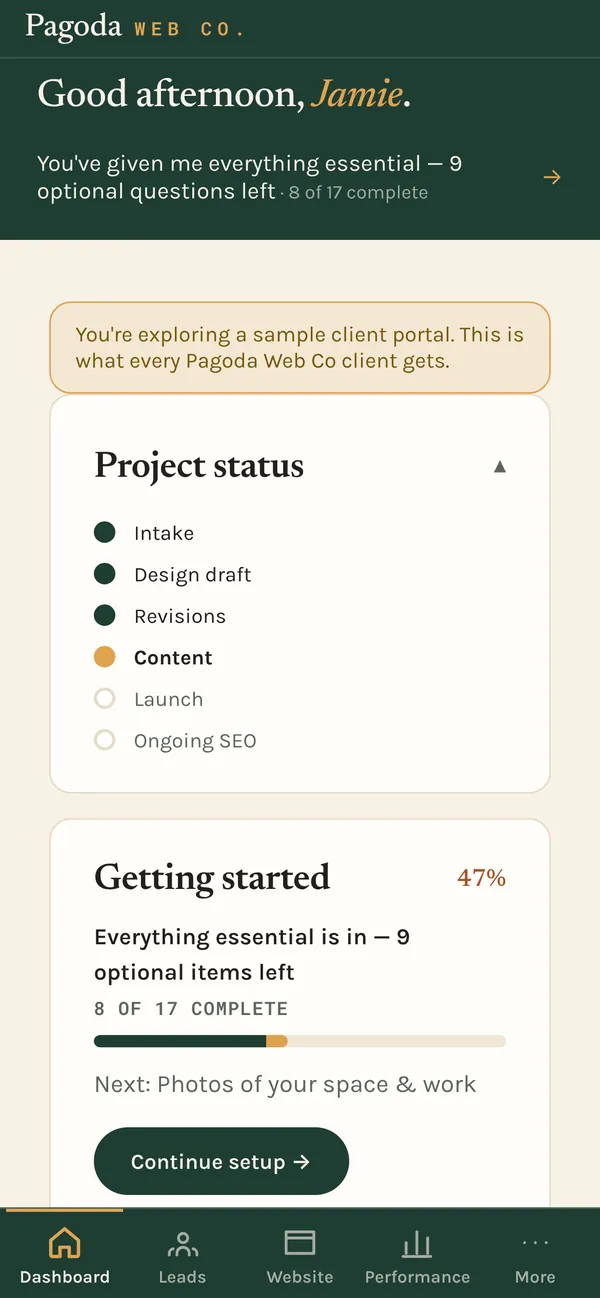
Open it and the first thing you see is where things stand.
Where your project is, from intake through launch to ongoing search work. What I still need from you. Your Google rating. What I did lately, in plain English. And my photo, because I’m the one doing the work.

Leads
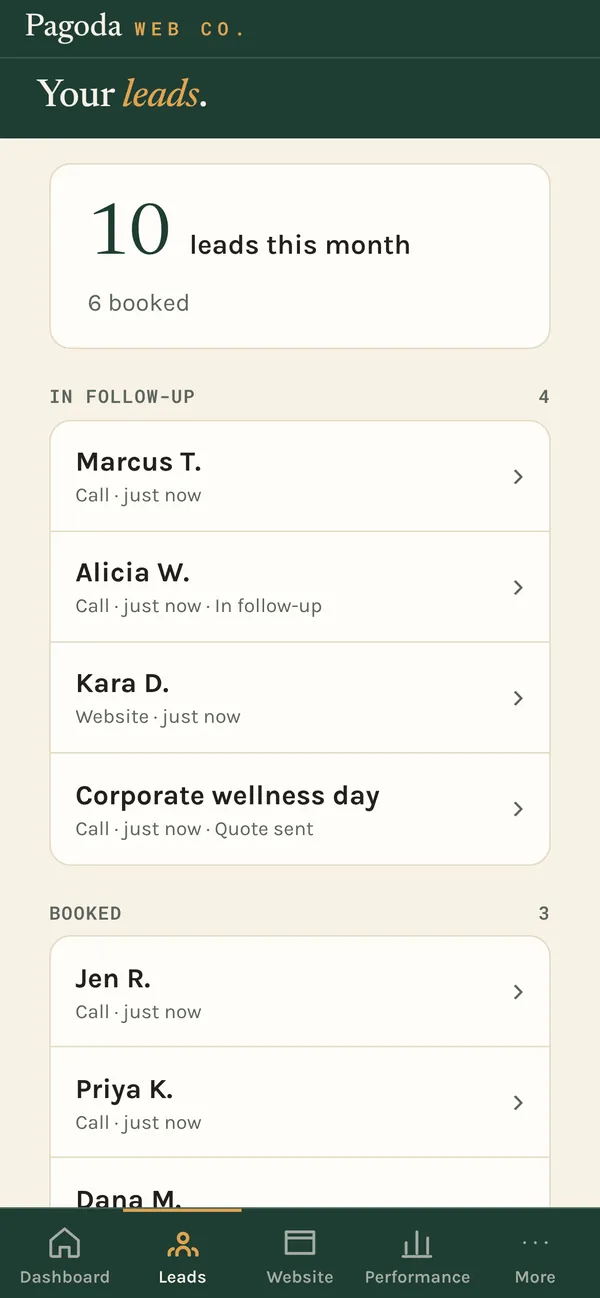
Every lead in one list, sorted by where it stands.
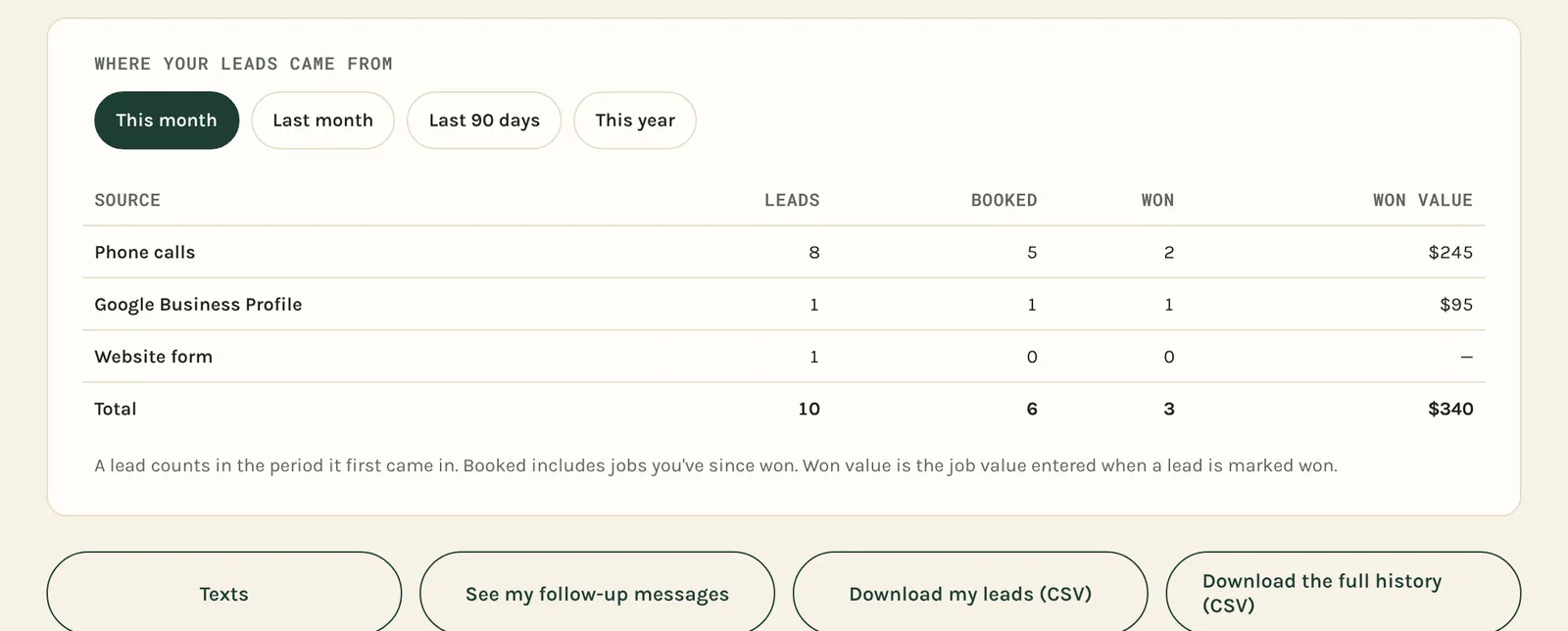
Calls, website forms and Google messages all land on the same page. Each lead sits in a stage: new, in follow-up, quote sent, booked, won. Mark one won with the job value, and the month adds itself up.
- Where your leads came from, counted: calls, Google, the website form
- Follow-up messages that go out by themselves
- Download every lead as a spreadsheet whenever you want. It’s your list.

Every Call Answered
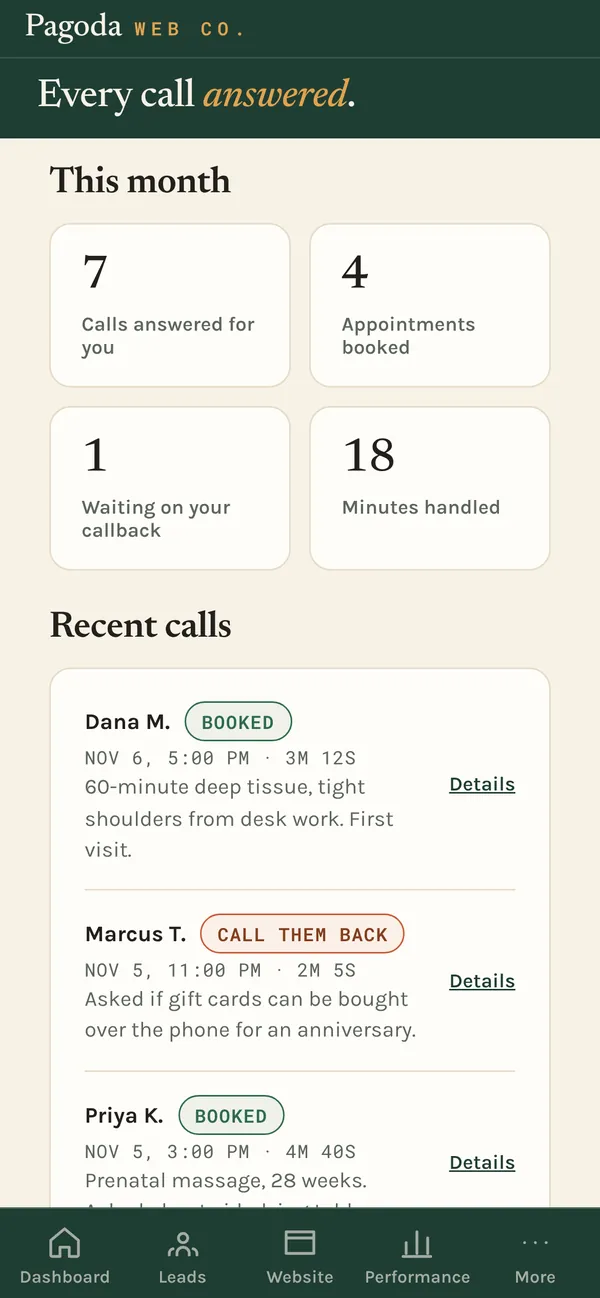
Every call the assistant picked up, and what happened next.
When you can’t get to the phone, the call assistant answers, books the job if it can, and texts you if someone needs a callback. Each call shows up here with who called, what they needed and how it ended.
- Calls answered, appointments booked and callbacks waiting, this month
- Every call tagged booked, call them back, sent to you, or spam. (More on how the assistant works.)

Performance
The numbers that matter, and what changed since last month.
Website visitors, how many came from Google, and how many tapped to call or book. Next to each, the change from the month before. Then where those visitors came from, in words like “Maps (free)” instead of “Organic Local.”

Where you rank
Your ranking, pinned on a map.
“You rank #4” means nothing without a where. I run the same Google search from points spread across your service area and pin the result on a map. Green where you’re in the top 3, amber for 4 to 10, red for 11 to 20, pale where you’re not showing yet. If you skimmed everything else on this page, this is the screen worth stopping on.
Under the map, the searches I’m working on for you, with your spot in the Google results, your spot in the map box, and the change since last month.


Sites linking to you
The links that tell Google your site is worth showing.
Once a month I count how many other websites link to yours, and the chart keeps every count since your first month.

Reviews
Everything you need to ask for a review, in one place.
Your rating and review count, with the change this period. A link that drops customers straight into the “write a review” box. A QR card to print and put by the register. Email and text asks you can copy and send the minute a job goes well.

Your website
Ask for a change, and watch it get done.
Request a change from the Website page and it goes on my list. You see each one move from new to done, with the date. When I have a design for you to look at, it shows up under Approvals, and nothing goes live until you approve it.
- See your live site right inside the portal
- Drop a pin on the live site to point at exactly what you mean

The work log
What I did, written so you can read it in the truck.
Every task I do for you gets an entry in plain English, grouped by month. “Your call assistant now answers gift card questions.” Open any entry for the details and why it matters.

Getting started
Setup is one question at a time.
The setup wizard asks one thing per screen, like your hours, your services or photos of your work, and saves as you go. Skip what you don’t have yet and come back to it.
Your files, my guides and templates are in the portal too: everything I build for you, plus how-tos for things like replying to a bad review.


On your phone
Built to check between jobs.
The portal is designed phone-first. Tabs at the bottom, big numbers, nothing to pinch and zoom. Thirty seconds to answer “is it working?”
What it costs
It comes with the work. There’s no separate fee.
The portal is part of the local-search system. Every client has a login from the first week, because that’s where the starting numbers for the 90-day promise get written down.
No extra subscription
The leads page, call log and reports are built in. You don’t pay for a separate CRM or reporting tool.
Your data stays yours
Download your leads as a spreadsheet anytime. Your files and your agreement are in the portal too, not buried in an email thread.
Not a replacement for talking
You text me, I answer. The portal is so you don’t have to text me to find out if it’s working.

I’ll walk you through the portal on the call.
I’ll pull up your site and your Google listing, show you what I’d fix first, and show you what your portal would track. Thirty minutes, free.
Pick a time on my calendar